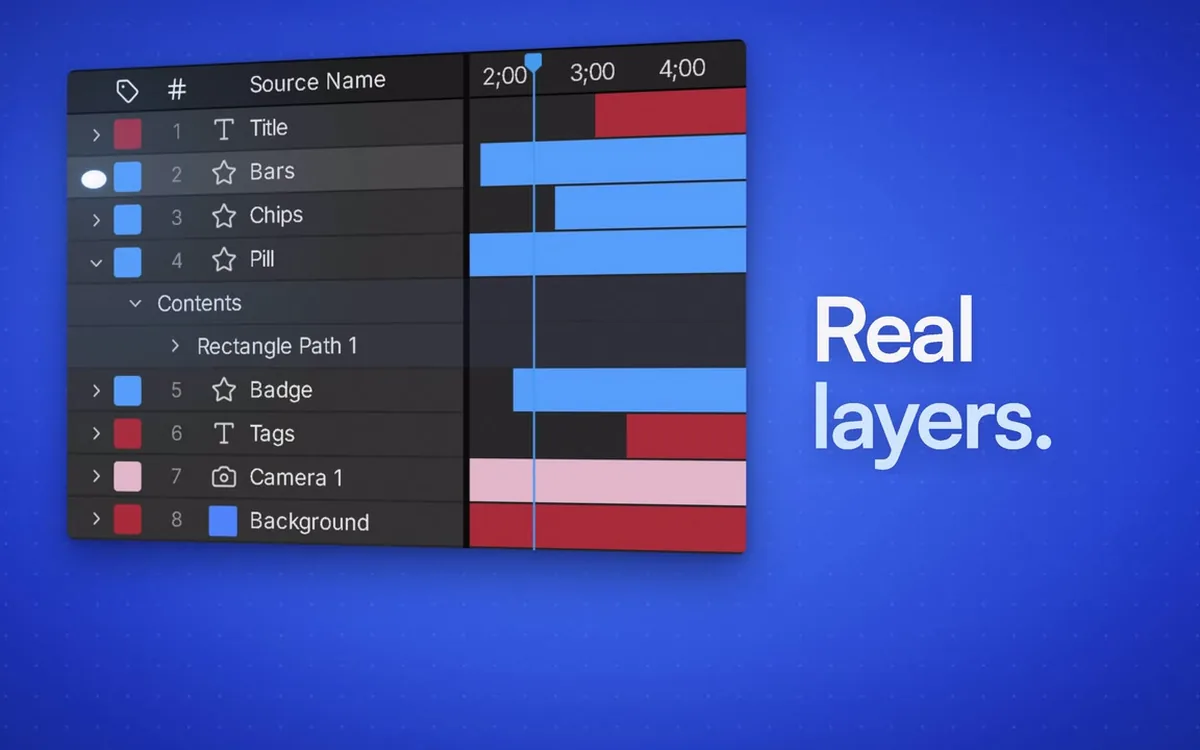
Real, editable layers
Everything it makes is real layers, keyframes and expressions in your own project. Change any of it by hand, as you always would.
Motion Copilot by Orbience
Describe what you want and it builds it in your real, open project, as real, editable layers, keyframes and expressions. Then it renders frames to check its own work.
How it works
It reads the project, writes and runs real ExtendScript, and renders frames to check its own work before it says done.
Everything it makes is real layers, keyframes and expressions in your own project. Change any of it by hand, as you always would.
Uses the AI subscription you already have, or your own API key, with no token markup.
/storyboard plans the piece in a role you pick and waits for your approval before it touches the project.
Before it says done, it renders frames and looks at them, so you get a result it has seen, not a guess.
Type what you want in the panel, in your own words.
For bigger pieces, /storyboard plans first and waits for you.
It writes and runs real ExtendScript in your open project.
It renders frames to check its own work before it says done.
Figma in, layers out
Copy a frame in Figma and it arrives in After Effects as real layers you can animate, not a flat picture.
Built in
Thousands of icons arrive as native shape layers, ready to animate. Sound design and voice typing are built in too.
Your taste
/study learns your taste from your best work. /remix rebuilds a reference in your brand, and /critique gives an honest read of work in progress.
Type a slash in the panel. Each command is a different way of working.
The Motion Copilot launch film.
Pay once
$49 at launch, then $60. It uses the AI subscription you already have.
One license, everything included.
Motion Copilot runs as a panel inside After Effects.
Pick who plans the piece; it waits for your approval either way.
No reviews yet: Motion Copilot is new.
Using it? Tell us at hello@orbience.com.
Example layout, not a real review
A customer’s own words about Motion Copilot go here, unedited apart from length. This card appears only in the preview build, so you can see the layout before the first real review arrives.
The first public version of Motion Copilot: an AI copilot inside After Effects for Windows that builds real, editable layers in your open project and checks its own work.
Anything else: hello@orbience.com.
The AI subscription you already have: Claude Code, Codex, Gemini through Antigravity, or Grok. Or your own API key. There is no token markup.
Yes. Everything it makes is real, editable layers, keyframes and expressions in your project.
You can plan first with /storyboard: it lays out the piece and won’t touch your project until you approve.
No. Motion Copilot runs inside After Effects on Windows, with After Effects open.
One PC, free updates for 1 year and refunds within 14 days. It costs $49 at launch, then $60.
Checkout opens with the launch. Until then, write to hello@orbience.com and we’ll tell you when it’s ready.
Questions about a product, ideas, press, or something that didn’t work: write to us.